MCP Connections
An alert tells you what changed. It rarely tells you why. That answer usually lives somewhere else — the pull request that shipped minutes earlier, the incident already open in PagerDuty, the runbook sitting in Confluence.
MCP Connections let Netdata AI reach those systems directly. Through the Model Context Protocol (MCP), Netdata Cloud acts as an MCP client and connects to the tools your team already runs, reading from them while it investigates. It correlates the metrics and anomalies Netdata detects on every node with the context in your stack — so it can tie a latency spike to the deploy that caused it, link an anomaly to the incident already tracking it, and surface the relevant runbook without you going to look for it.
This is the reverse of connecting an AI client to Netdata. Here, Netdata reaches out to your MCP servers. To instead connect an AI assistant (Claude, Cursor, a CLI) to Netdata's own MCP server, see Supported AI Clients.
MCP Connections bring in context from other systems. For the context only your team can provide — service tiers, known behaviours, ownership — see Infrastructure Knowledge.
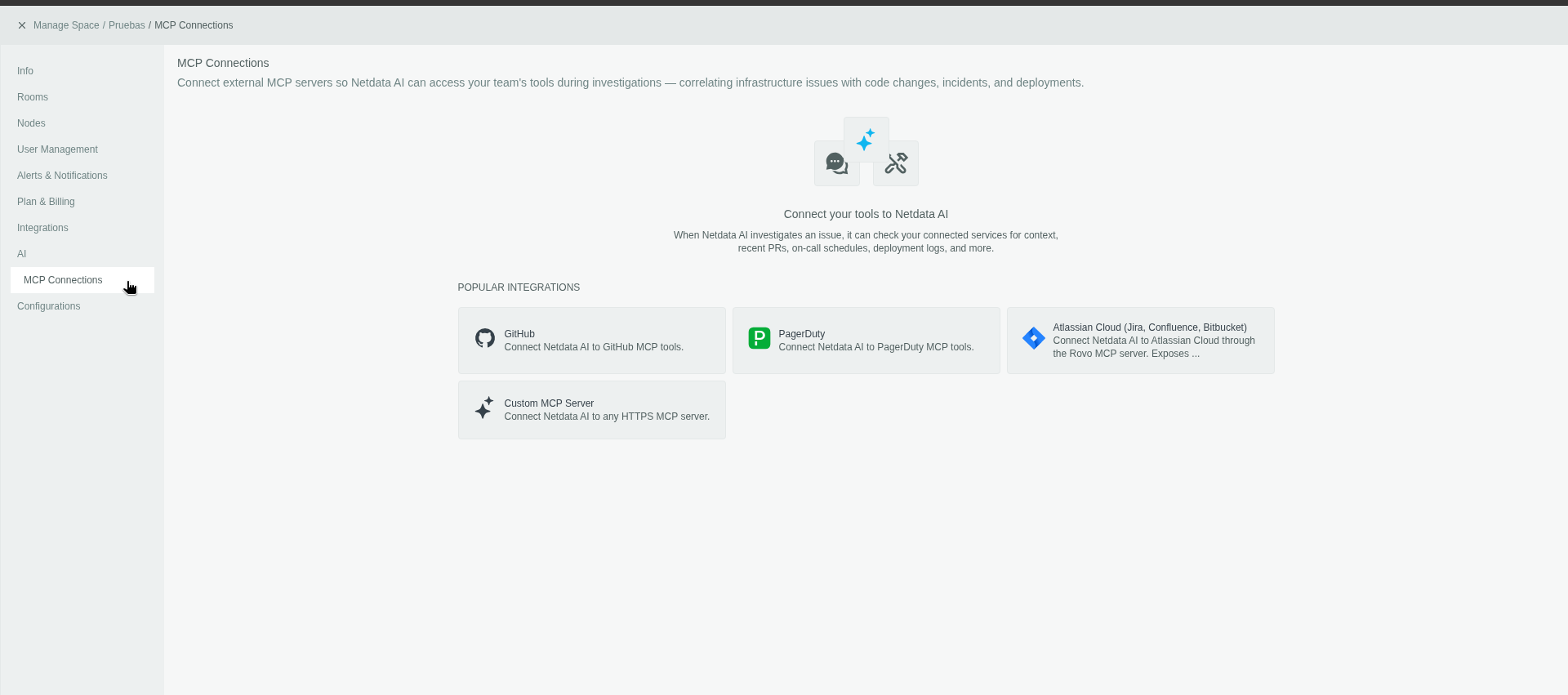
Prerequisites
- A Netdata Cloud account on a Paid plan.
- Space admin access — MCP Connections are configured per Space, under Settings → AI → MCP Connections.
- A reachable MCP server to connect to. Netdata ships built-in integrations for popular providers (GitHub, PagerDuty, Atlassian Cloud for Jira/Confluence/Bitbucket) and a Custom MCP Server option for any HTTPS MCP endpoint.
Provider guides
- PagerDuty: connect Netdata AI to PagerDuty incidents, on-call schedules and change events.
Configure a new integration
-
Go to Settings → AI → MCP Connections.
-
Select an integration, such as GitHub, or choose Custom MCP Server to point at your own HTTPS MCP endpoint (see Custom MCP Server requirements).
-
Choose an authentication method (see Authentication methods below). The available options depend on the integration.
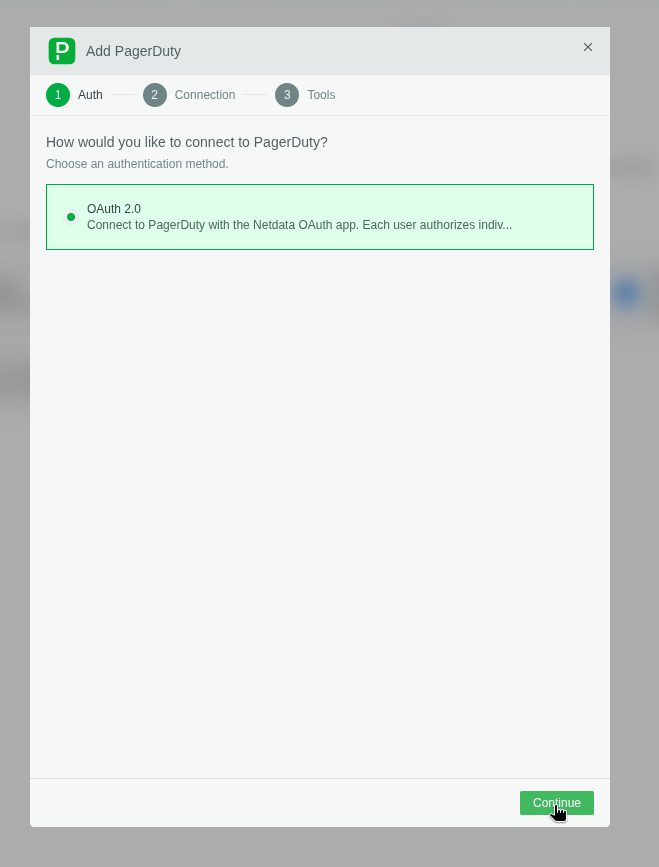
-
Provide the required configuration parameters — such as the connection name, or your account URL with the provider — then click Connect & discover tools.
An account URL is the address you use to reach the provider, including your organization's subdomain, such as
https://acme.pagerduty.com. See the provider guide for provider-specific URL requirements, regional endpoint handling and account matching.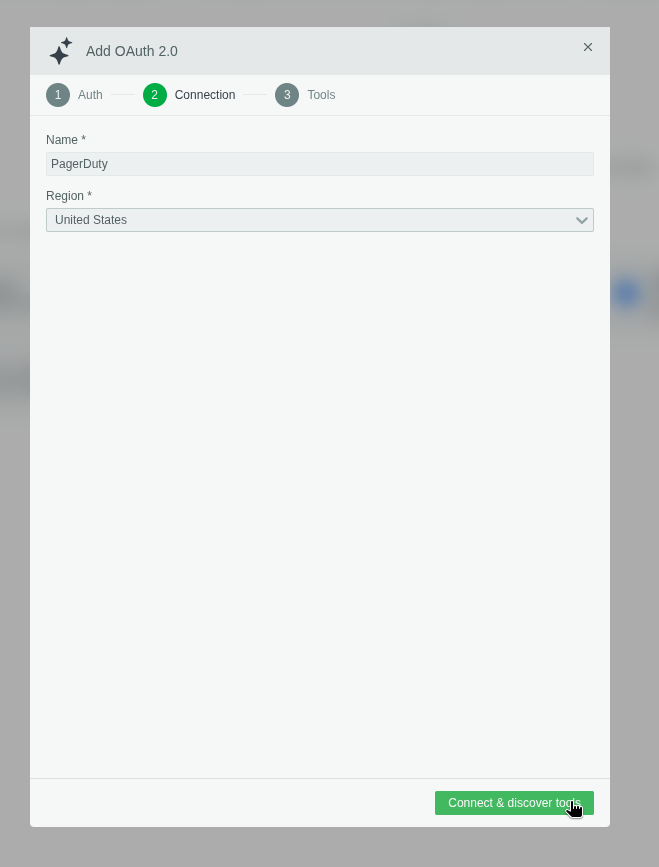
For OAuth integrations, you'll be redirected to the provider to authorize Netdata. Once you approve, you're sent back and the connection is established automatically.
For GitHub with OAuth, authorizing is not enough on its own — the Netdata MCP GitHub App also has to be installed on the organization that owns your repositories. See GitHub: OAuth or a personal access token.
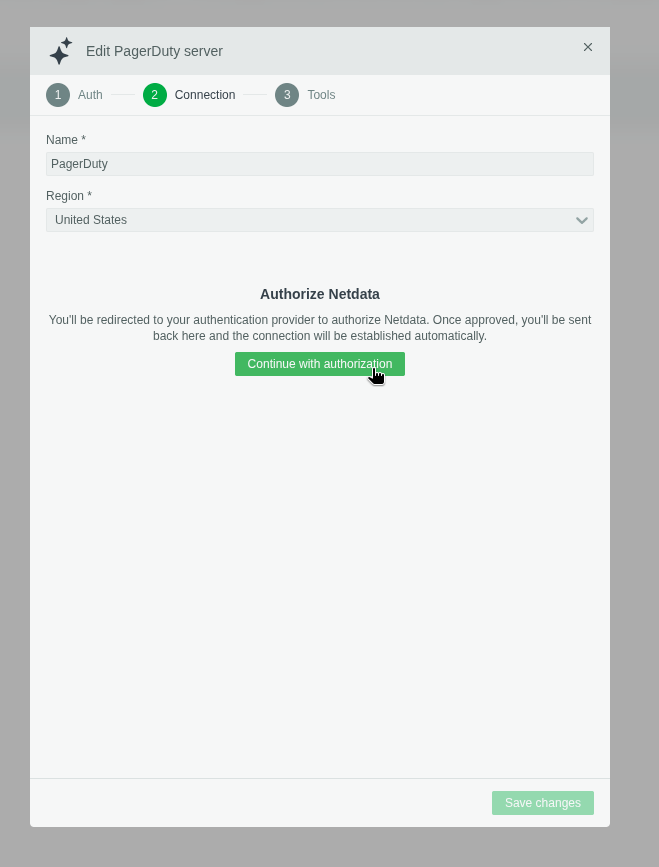
-
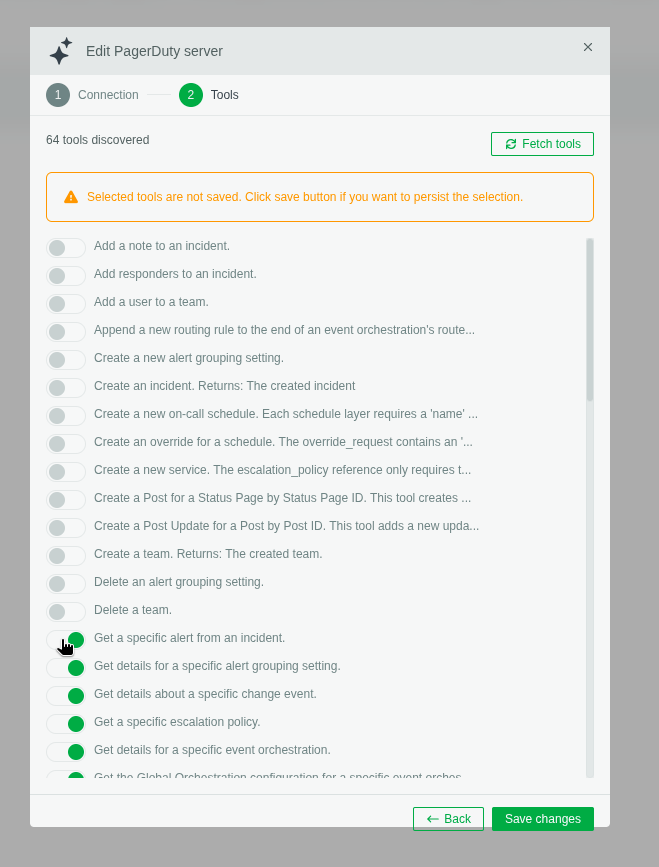
On success, Netdata retrieves the tools the remote MCP server exposes. Select the tools you want to make available for this connection.
Netdata only enables read-only tools. The server may advertise tools that create, modify, or delete data (for example "Create an incident" or "Delete a team") — these appear in the discovered list but cannot be enabled from the Netdata UI. Netdata AI reads context; it does not act on your systems.
-
Click Save Changes to complete the configuration. Enabled tools are not active until you save.
GitHub: OAuth or a personal access token
GitHub offers both authentication methods — OAuth 2.0 and Personal Access Token — and what limits Netdata AI is different in each.
OAuth: install the Netdata MCP app
With OAuth, what Netdata AI can read is decided when the Netdata MCP GitHub App is installed, not when you connect. Authorizing the OAuth flow can succeed while the connection still returns nothing, because the app is not installed on the organization that owns the repositories.
- An organization owner installs Netdata MCP on the organization, from https://github.com/apps/netdata-mcp/installations/new.
- During installation, choose which repositories the app can access — All repositories, or a specific list. This selection bounds the non-public repositories Netdata AI can read. Public repositories are readable either way: GitHub gives an app acting on behalf of a user implicit read access to public data.
- If you are not an owner, GitHub turns your installation into a request. An owner has to approve it before the connection returns any data.
- To reach repositories you own personally, install the app on your own GitHub account as well.
- If your organization enforces SAML single sign-on, start an SSO session for it —
https://github.com/orgs/YOUR-ORG/sso— before you install or authorize. Without an active session the authorization does not cover that organization.
Every permission the app asks for is read-only: repository metadata and contents, issues, pull requests, workflow runs and artifact metadata, deployments, discussions, commit statuses, security alerts, and Copilot agent task and variable metadata. GitHub shows the full list on the installation screen. The app cannot write to your repositories, and it subscribes to no webhook events.
Each user still connects individually through OAuth, so a user sees only the repositories they can already access, within what the installation allows. An organization owner uninstalling the app revokes access for everyone at once; a user revoking it under GitHub → Settings → Applications revokes only their own connection.
Personal access token: the token is the boundary
The Personal Access Token method needs no app installation — Netdata authenticates to GitHub with the token you paste in, so the token's own permissions decide what is reachable. Three things to plan for:
- The token is shared by the whole Space. Everyone using Netdata AI reads GitHub as the token's owner, with that person's access. Prefer a fine-grained token limited to the repositories and read permissions you want exposed, rather than a classic token with broad scopes.
- If your organization requires approval for fine-grained personal access tokens, an owner has to approve the token before it can read the organization's non-public repositories.
- If your organization enforces SAML single sign-on, a classic token has to be authorized for that organization after you create it: click Configure SSO next to the token, then Authorize. The option only appears once you have signed in through your identity provider at least once. Fine-grained tokens are authorized when they are created.
Revoking is done on the token itself, in GitHub → Settings → Developer settings → Personal access tokens — which disconnects the integration for the entire Space at once.
Authentication methods
| Method | Who authenticates | Scope | When to use |
|---|---|---|---|
| Bearer token | One shared token, entered once | All users in the Space share this single token | Providers that authenticate with an access token; simplest setup |
| OAuth | Each user authorizes individually with their own credentials | Per user | The standard method for most integrations; keeps per-user access boundaries intact |
For OAuth integrations, enabling a tool does not widen access: each user is still restricted by their own permissions on the underlying resource. A user only sees what they're already allowed to see in the connected system.
Using MCP servers
Once a connection is saved, Netdata AI can use it during investigations. You control which servers are used, per conversation and per report.
In a conversation
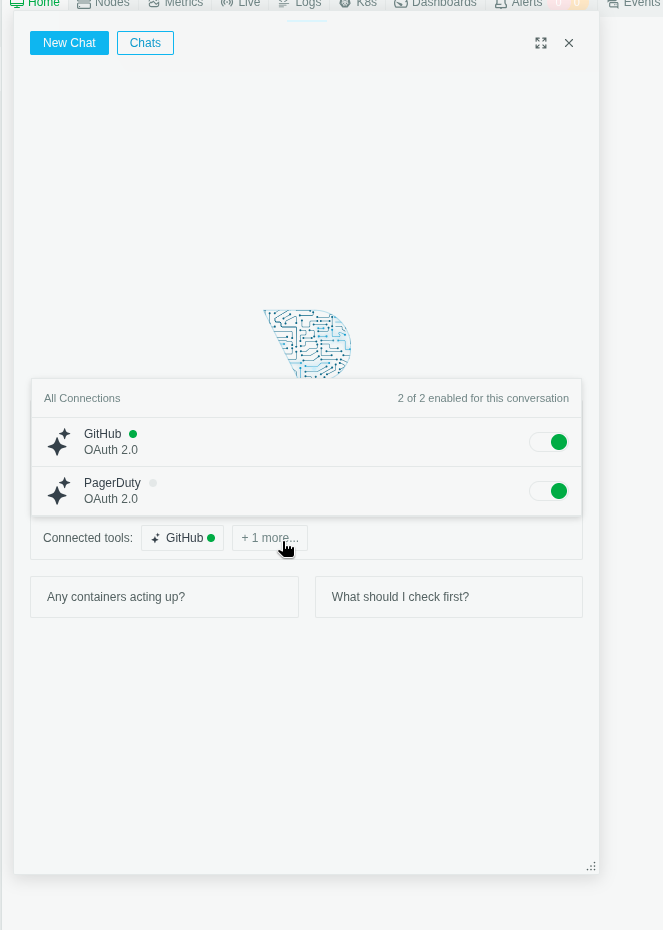
During a conversation you can see all MCP servers enabled for your Space and toggle them on or off for that conversation. The Connected tools row shows which servers Netdata AI will draw on as it answers.
See Conversations for more on live, interactive troubleshooting.
In reports and investigations
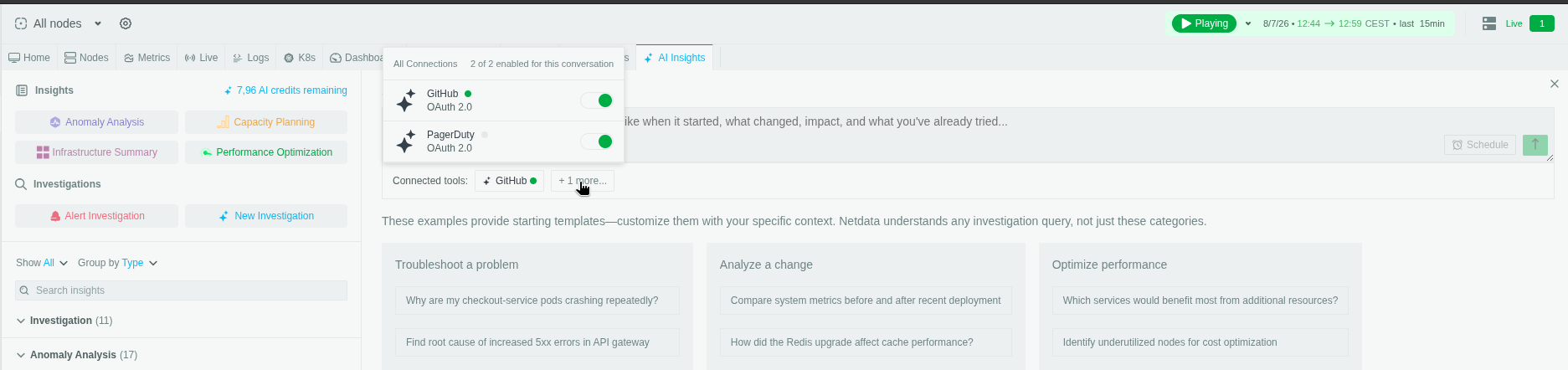
When generating a report, you can select which MCP servers to include before the report runs — so a scheduled Insight or a Custom Investigation can pull in code changes, incidents, or on-call context alongside the metrics.
See Investigations and Scheduled Reports.
Security and access
- Read-only by design. Only read-only tools can be enabled; mutating actions are never available through Netdata.
- OAuth respects your permissions. With OAuth, each user authenticates individually and is limited to what they can already access in the connected system.
- Bearer tokens are Space-wide. A bearer token is shared by everyone in the Space, so use it for providers where a shared, scoped access token is appropriate.
Custom MCP Server requirements
The Custom MCP Server option accepts any MCP endpoint that meets the following:
- Transport: Streamable HTTP over HTTPS. Any path works — Netdata uses the exact URL you configure. The optional standalone
GETSSE stream isn't used, so the server must work without it. - Authentication: the token you provide is sent as
Authorization: Bearer <token>on every request, including discovery. It is stored encrypted. - TLS: a publicly trusted certificate is required. Netdata validates against the system trust store — private CAs and self-signed certificates are rejected.
- Reachability: the hostname must resolve to a public IP address. Loopback, private (RFC1918/ULA), link-local, CGNAT and multicast addresses are refused, both when you save the configuration and again before each connection.
- Redirects: followed up to 10 hops, but every hop must stay HTTPS, resolve to a public IP, and remain on the same hostname — so your token is never forwarded to another host.
- Tool annotations: only tools that advertise
annotations.readOnlyHint: trueintools/listcan be enabled. Read-only tools that omit the annotation are discovered but cannot be selected.
Each MCP request has a 45-second timeout, and each tool result is truncated to 64 KiB before it reaches the model, so keep responses focused.
FAQ
Do MCP tool calls consume extra AI credits?
No. There is no per-call or per-response charge.
An investigation or scheduled report costs 1 AI credit when it completes, no matter how many tools it calls. In conversations, tool results become part of the exchange, so a very verbose MCP server makes a conversation cost slightly more. See Conversations and Investigations.
Does connecting a server consume credits?
No. Connecting, authorizing and discovering tools never involve an AI model, so they cost nothing.
Is there a limit on how many tools an investigation may call?
There is no fixed call count. Netdata AI decides which of the enabled tools to call, and how often, based on what it is investigating. Every investigation is bounded by its own time and context budget, so a run cannot loop indefinitely.
Can I choose which tools are available?
Yes, at two levels:
- Per Space: enable or disable each discovered tool, as in step 5 of Configure a new integration. Only enabled tools are ever offered to the model, and re-running discovery preserves your selections.
- Per conversation or report: you pick which servers to include, up to 5 at a time — see Using MCP servers. A connection is never used unless you select it.
Selection is per server, not per tool: a single investigation cannot require or exclude an individual tool beyond what is enabled for the Space.
Can scheduled reports use MCP connections?
Yes. The servers you select when you create the schedule are stored with it and reused on every run, exactly like an on-demand report.
Can I see which tools were used?
In a conversation, yes: each tool call appears inline as it happens, with the tool and its result.
Reports do not yet include a tool-call trace.
Which IP addresses does Netdata connect from?
If your MCP endpoint is behind an IP allowlist, see Netdata Cloud Outbound IP Addresses for the published list and how to consume it.
Do you have any feedback for this page? If so, you can open a new issue on our netdata/learn repository.