Network Topologies
Netdata shows you how your infrastructure is connected — which device links to which, which service depends on which, and where each part sits — built automatically from what you already monitor.
Two maps, in the same view:
- The network fabric — your switches and routers and the links between them, read over SNMP from the devices themselves.
- Your applications — what each process is talking to, read from the host's kernel, and on Linux which container and Kubernetes workload owns it.
Neither needs topology-specific setup: once you are monitoring the devices and running Agents on the hosts, the maps build themselves. There is nothing to instrument, no topology to declare, and no diagram to maintain.
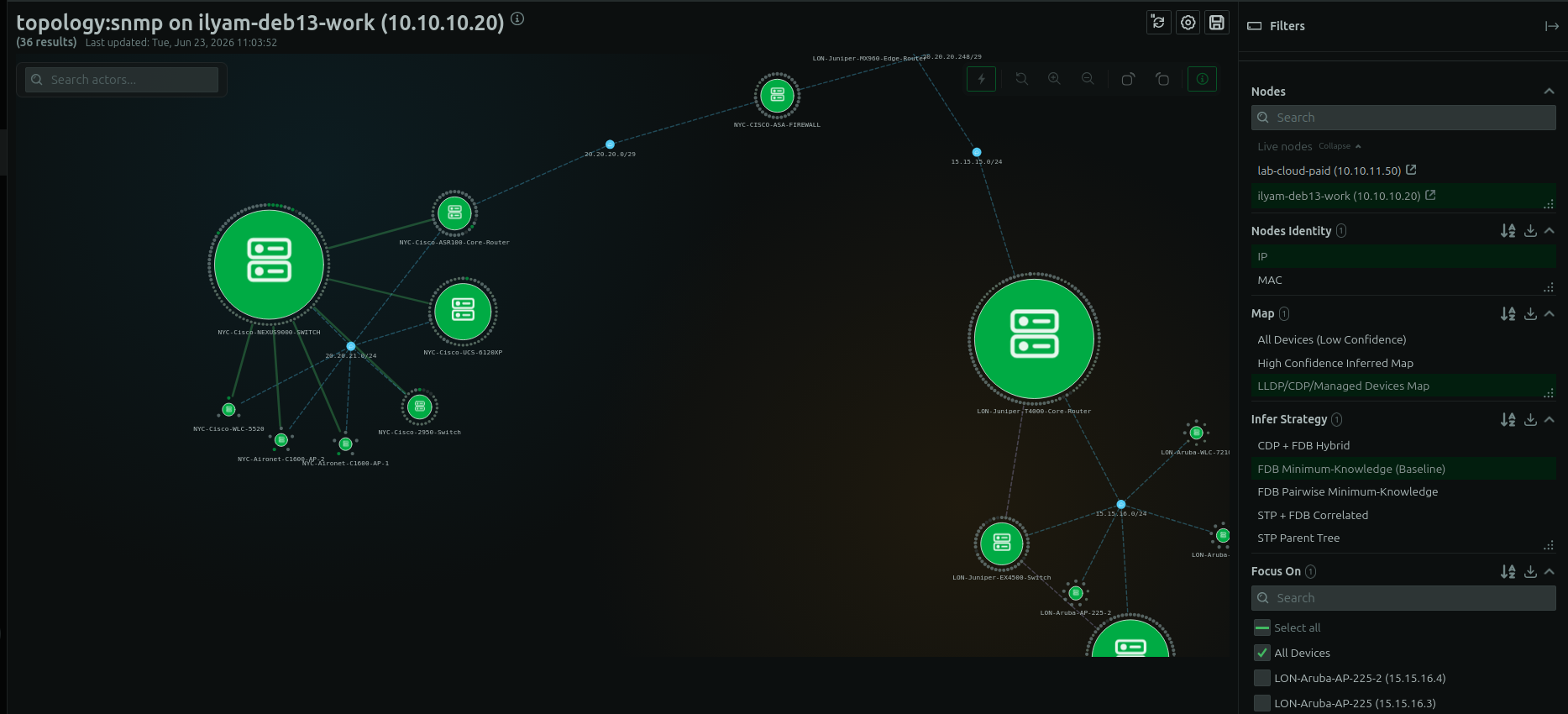
The topology view, assembled automatically from the devices you already monitor — Layer 2 and Layer 3 links, kept current as devices come and go.
Built from your devices
When Netdata monitors your SNMP devices, it reads what they already know about their neighbors and assembles the topology, with no extra setup:
- LLDP and CDP — the neighbor each device advertises (device, port, platform).
- Forwarding (FDB) and ARP tables — which MAC and IP addresses are seen on which switch ports.
- Spanning Tree (STP) — which Layer 2 links are forwarding and which are blocked.
- BGP and OSPF — the Layer 3 routing relationships between routers.
The result is a live Layer 2 and Layer 3 map, kept current as devices come and go. Each link carries the evidence behind it — how it was discovered and how confident Netdata is in it — so a confirmed link is distinguishable from an inferred one.
What you can do with it
- See the real wiring — device-to-device links across your network.
- Trace a path — follow how two points connect, hop by hop.
- Find what's affected — what sits downstream of a link or device that's in trouble.
- Locate an endpoint — which switch port an address is on, cross-referenced from forwarding and neighbor data.
Your applications, mapped the same way
The device fabric tells you how the wires run. On a monitored host, Netdata also reads the kernel's live socket table
and maps the software: what each process is talking to, and on Linux which container, image, systemd unit, or
Kubernetes pod, namespace, and workload owns it — without instrumenting any of it (topology:network-connections).
You can regroup that map by process name, container, or PID, so you can look at the host at whichever level answers your question — the services it runs, or exactly which worker process opened a connection.
The map is available on Linux, FreeBSD, macOS, and Windows; container and Kubernetes attribution is Linux-only. A host install needs nothing configured. Running the Agent in a container needs a few extra privileges, which Application Dependency Mapping lists.
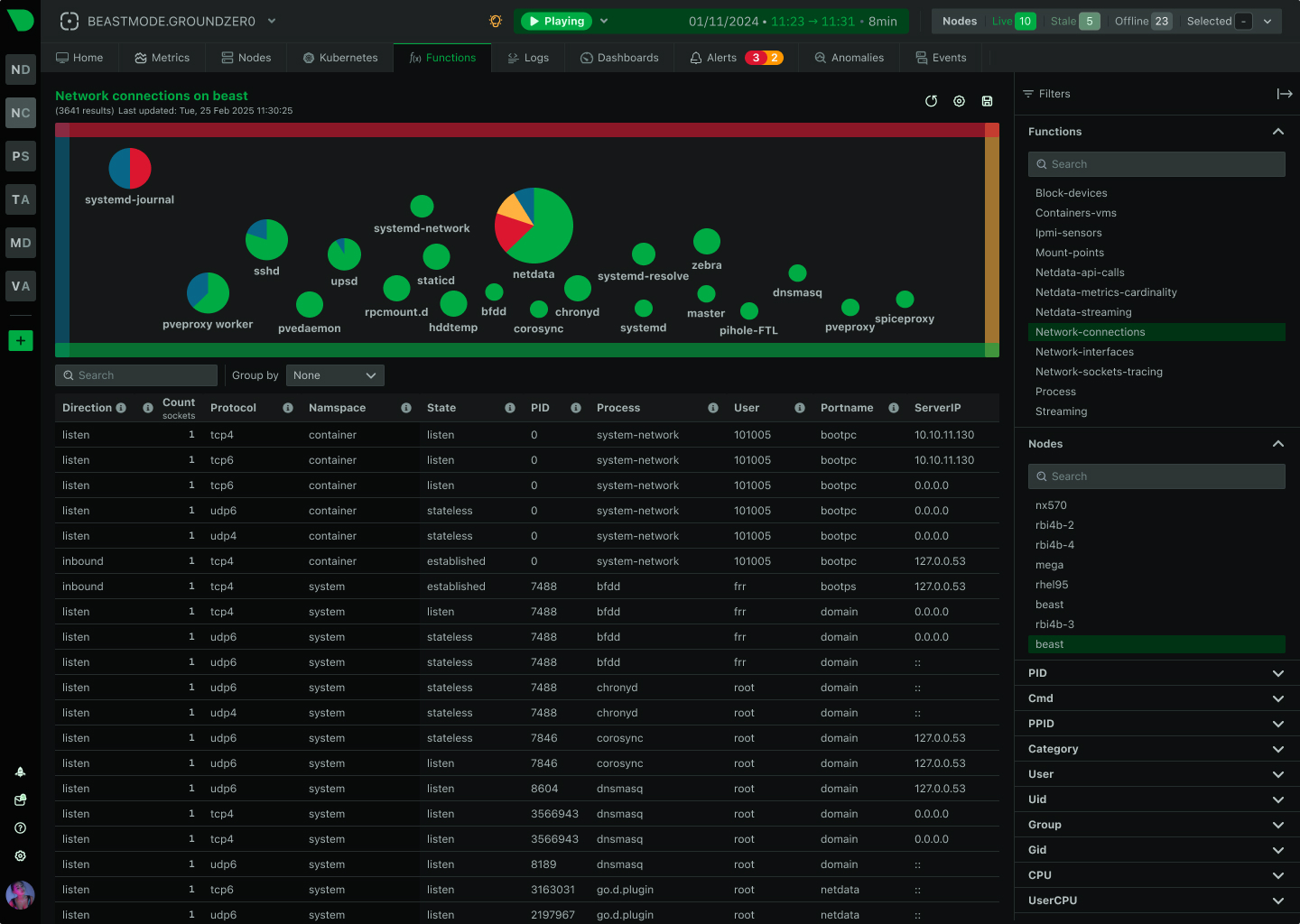
Live host and service connections (topology:network-connections) appear in the same topology view, alongside your device fabric.
See Application Dependency Mapping for what it maps and how to use it.
Other sources in the same view
The topology view brings in the rest of your infrastructure in the same form, so it all sits together:
- Netdata streaming — how your Agents connect to each other (
topology:streaming). - VMware vSphere — datacenters, clusters, resource pools, hosts, VMs, datastores, and networks (
topology:vsphere). - Cato Networks — Cato SASE sites, devices, POPs, and BGP peers (
topology:cato_networks).
The device fabric (topology:snmp) and application dependencies come up on their own once the devices and hosts are monitored. The streaming map appears once Agents are streaming to a Parent (configured in stream.conf); vSphere and Cato come from their own collectors, configured separately.
Where to start
- Application dependencies come up on their own — open the topology view in Netdata on any monitored host.
- The device fabric comes up once you're monitoring devices over SNMP.
- The entries in this section list each discovery method and source, and what each one contributes to the map.
Do you have any feedback for this page? If so, you can open a new issue on our netdata/learn repository.